Direct answer: An LM-79 report is only worth what its weakest line is worth. Before you place the order, confirm four things: the laboratory holds ISO/IEC 17025 accreditation with LM-79 in scope and the accreditation was valid on the report date; the model and CCT on the report match the product on your purchase order; the report states the test conditions the standard requires, including a 25 °C ±1 °C ambient and stabilized readings; and the IES file independently reproduces the lumen output and distribution printed in the report. Fail any one of the four and you are not buying verified data — you are buying a PDF.
A photometric report is not a certificate of quality. It is a measurement of one sample under controlled conditions, and everything else on the datasheet is a claim until a report backs it. Here is how to check one properly, in the time it takes to drink a coffee.
Why the LM-79 report is the one document you cannot fake your way past
ANSI/IES LM-79 is the approved method for the optical and electrical measurement of solid-state lighting products. The current edition, LM-79-19, was published in 2019 and replaced LM-79-08, which had governed the industry since 2008. The revision tightened laboratory conditions specifically to reduce lab-to-lab variation — because a result that cannot be reproduced is not evidence.
No market makes LM-79 testing legally mandatory in itself. But the moment a product touches a rebate program, the report becomes the price of entry: the DLC Qualified Products List, ENERGY STAR for luminaires, and California’s Title 20 and Title 24 energy regulations all lean on LM-79 data, and utility rebate programs across North America run through those listings. If your customer’s project depends on a rebate, an unverifiable report does not slow the project down — it stops it.
What LM-79-19 actually measures, and what it leaves out
LM-79 applies to complete solid-state lighting products — luminaires, integrated lamps and light engines with an integral driver and heat-sinking. It deliberately does not cover bare LED packages, arrays or modules, which belong to LM-80, nor fixtures sold without a light source. The outputs are the numbers you spec every day:
- Total luminous flux and luminous efficacy (lm/W)
- Luminous intensity distribution — the data behind the IES file
- Chromaticity: CCT, CRI (Ra), Duv, and TM-30 fidelity and gamut values where reported
- Electrical data: input power, current, power factor and harmonic distortion
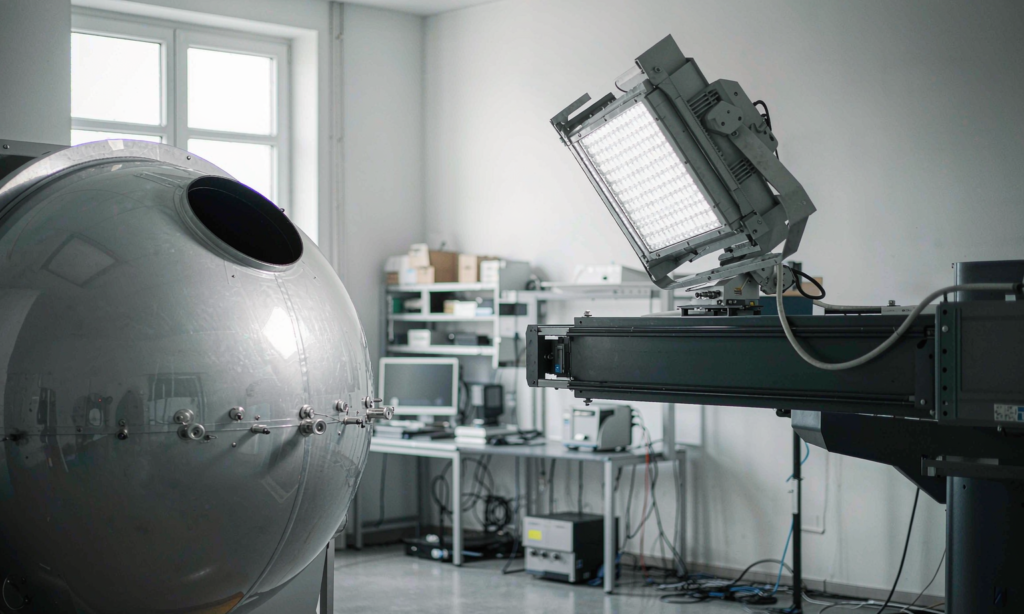
Laboratories measure with an integrating sphere or a goniophotometer. The goniophotometer produces the intensity distribution your lighting designer will model, so for anything directional that is the method that matters to you. Whichever instrument is used, the report must identify it — an unnamed method is a warning sign on its own.
The 12-point check: how to validate an LM-79 report in ten minutes
Work down this list in order. Failures at points one to three are the most common and the most fatal.
| # | Check | What passing looks like |
|---|---|---|
| 1 | Laboratory accreditation | ISO/IEC 17025 accreditation with LM-79 in scope, from a body such as NVLAP (NIST), IAS, A2LA, ACLASS, UKAS, NABL or TAF; look the lab code up in the accreditor’s public directory |
| 2 | Accreditation validity | The report date falls inside the lab’s accreditation effective and expiry dates — program owners check exactly this |
| 3 | Sample identification | Model number and CCT match your purchase order, and the tested sample is identified or photographed |
| 4 | Standard edition | LM-79-19 for current work; an LM-79-08 report may still inform, but many programs now expect the 2019 edition |
| 5 | Ambient conditions | 25 °C ±1 °C stated, with relative humidity recorded |
| 6 | Air flow and mounting | Limited air flow and mounting that limits thermal transfer, so the luminaire runs at its natural temperature |
| 7 | Stabilization | Electrical and photometric readings stabilized to within 0.5% over a stated interval before measurement |
| 8 | Supply conditions | Voltage regulated within ±2% and AC waveform harmonic distortion below 3% |
| 9 | Operating orientation | Burning position stated, because orientation changes LED temperature and therefore output |
| 10 | Electrical data | Watts, current, power factor and THD consistent with the datasheet and the driver specification |
| 11 | Photometric consistency | Lumens, efficacy, CCT and CRI internally consistent — efficacy must equal lumens divided by watts |
| 12 | Instrumentation | Sphere diameter or goniophotometer type, and spectroradiometer wavelength range, identified |
Check eleven catches more lazy reports than any other. Divide the reported lumens by the reported watts; if the arithmetic does not produce the stated efficacy, the report was assembled rather than measured.
Reading the IES file: five fields that must match the report
The IES file is not a bonus attachment — it is the machine-readable form of the same measurement. Open it in a text editor; a legitimate LM-63 file is plain ASCII. Read the header keywords first. Four are required by the format: [TEST] for the test report number, [TESTLAB] for the laboratory, [ISSUEDATE] and [MANUFAC] for the manufacturer. The optional [LUMCAT] field carrying the catalogue number is usually the fastest way to tie the file to a model. Then verify the substance:
- The total lumen value derived from the candela table matches the luminous flux in the report
- The input watts recorded in the file match the report’s electrical data
- Units — feet or metres — and photometric type are declared correctly for the fixture
- The [ISSUEDATE] is plausible against the report date, not years apart
Finally, import the file into DIALux, AGi32 or a free viewer and compare the rendered distribution against the polar curve printed in the report. A file cobbled together from a different luminaire shows itself immediately.
LM-63 or TM-33: which photometric file format should you ask for?
The industry is mid-transition between file formats, and buyers keep asking which to specify. The honest answer is to accept both for now, because both standards are valid until the transition completes.
| Attribute | ANSI/IES LM-63 | ANSI/IES TM-33-18 |
|---|---|---|
| Format | Plain-text ASCII; first issued 1986, revised 1991, 1995, 2002 and 2019 | XML document; published 2018, mirrored in Italy as UNI 11733:2019 |
| Contents | Intensity distribution and basic electrical data | Full luminaire optical data, including spectral and photon-based data |
| Identification | [TEST], [TESTLAB], [ISSUEDATE], [MANUFAC] keywords | Structured XML metadata fields |
| Status | Still valid; the standard itself anticipates eventual replacement by TM-33 | Valid now; a joint CIE/ISO international version is in development |
| Practical guidance | Readable by every lighting design tool today | Support is growing; ask for LM-63 alongside if your designer’s tools are older |

Red flags that expose a recycled or manipulated report
The same failures keep appearing in audits. Treat any of these as grounds to walk away or demand a fresh test:
- The model on the report differs from the quoted model, and the difference gets explained away rather than corrected
- One report quietly covers several wattages or CCT variants — each variant carries its own measured data in a properly documented range, because a 4000 K and a 5000 K build of the same housing do not measure the same
- The IES file’s lumen total does not match the report, or one IES file circulates under different model names
- Standards are cited without dated editions, or the cited method is outside the lab’s accreditation scope
- The claimed efficacy exceeds what the stated LED package and driver can physically deliver — a physics check, not a paperwork check
- The “report” is a manufacturer datasheet on letterhead, or the lab does not appear in the accreditor’s directory
What LM-79 does not tell you: LM-80, ISTMT and TM-21
LM-79 is a snapshot of one luminaire on one day. It says nothing about how output holds up over years, and buyers who treat it as a lifetime promise get burned. The lifetime chain has three more links:
- IES LM-80 measures lumen maintenance of the LED package, array or module itself over at least 6,000 hours — a source-level test, not a fixture test
- An ISTMT records the actual temperature at the hottest LED point and the driver case inside the real housing, which determines which LM-80 dataset applies
- IES TM-21 projects that LM-80 data at the measured in-situ temperature to produce the L70 figure quoted on datasheets
Energy program owners require these together — LM-80 data is only accepted from laboratories recognized for that method. A supplier who can produce the full chain is telling you their thermal design is deliberate. A supplier who can only produce an LM-79 is telling you something too.
How to write the requirement into your purchase order
A report requirement living in an email thread protects nobody. Put one sentence in the purchase order: “Goods supplied against this order must be covered by an LM-79-19 test report from an ISO/IEC 17025-accredited laboratory with LM-79 in scope, issued for the exact model and CCT supplied, accompanied by the matching IES file whose lumen output agrees with the report.” Then hold a pre-shipment review against the 12-point table. Suppliers respond to what is written down; a buyer who checks reports on every order trains their supply chain to have them ready.
Frequently asked questions
Does an LM-79 report expire?
There is no statutory expiry. A report stays meaningful while the product design is unchanged, and program owners expect the data to reflect the product currently being sold. If the LED, driver or optics change, the report must be redone.
Can I still accept an LM-79-08 report?
A complete LM-79-08 report with full test conditions is better than nothing for your own file. But ENERGY STAR’s luminaire specification and current DLC technical requirements reference the 2019 edition, so expect LM-79-19 for new listings and ask for it when a supplier offers the old one.
How do I verify the IES file matches the fixture?
Check the catalogue keyword against the report, confirm the file’s total lumen value matches the report, and import the file into lighting design software to compare the distribution with the report’s polar plot. Mismatched numbers or shape mean the file belongs to another product.
Does LM-79 tell me anything about lifetime?
No. LM-79 measures performance at the time of test. Lifetime claims come from LM-80 source data combined with an ISTMT and projected through TM-21. Treat an L70 figure with no LM-80 and ISTMT behind it as marketing.
Who pays for the test, and who owns the report?
The manufacturer normally pays and owns the report, and reputable factories share it freely because it is a sales asset. You are entitled to the full report — not a summary page — for the model you are buying. A supplier who hesitates to share a report they claim to have is giving you your answer.
This article is a procurement guide, not legal advice. Confirm requirements for your specific product and market with a qualified compliance provider.
