
LED Photometric Files: What Lighting Designers Actually Need from Your Spec Sheets (And Why Most Suppliers Get It Wrong)
I’ve lost count of how many times a buyer has called me panicking because a project is stuck in design review and the specifier is asking for IES files their supplier “doesn’t have.” Last year, a German wholesaler nearly lost a €480,000 office retrofit because the Chinese factory they’d been buying from for three years couldn’t produce a valid photometric file for a 600-lumen downlight. The fixture had been in production for two years. No one had ever asked for the IES data. The design firm rejected the entire submittal package, and the wholesaler had 60 days to either find another product or refund the contract.
This is one of those boring-sounding back-office issues that quietly kills commercial lighting deals. And the worst part is that 90% of the time, it’s completely preventable. Photometric files aren’t some advanced aerospace technology. They’re standard. But almost every supplier in our industry gets the details wrong in ways that delay projects and waste everyone’s time.
Why Your Spec Sheet Means Nothing Without a Photometric File
Let me explain what a photometric file actually does, because there’s a surprising amount of confusion even among people who buy lighting fixtures for a living.
A photometric file — usually an .ies or .ldt file — is a digital record of how a fixture actually distributes light in three-dimensional space. It’s generated by a goniophotometer, which is a piece of equipment that rotates a real fixture 360 degrees in controlled conditions and measures the light output at thousands of points. The result is a data file that lighting design software like DIALux, AGi32, or Relux can import to simulate exactly how a fixture will perform in a real space.
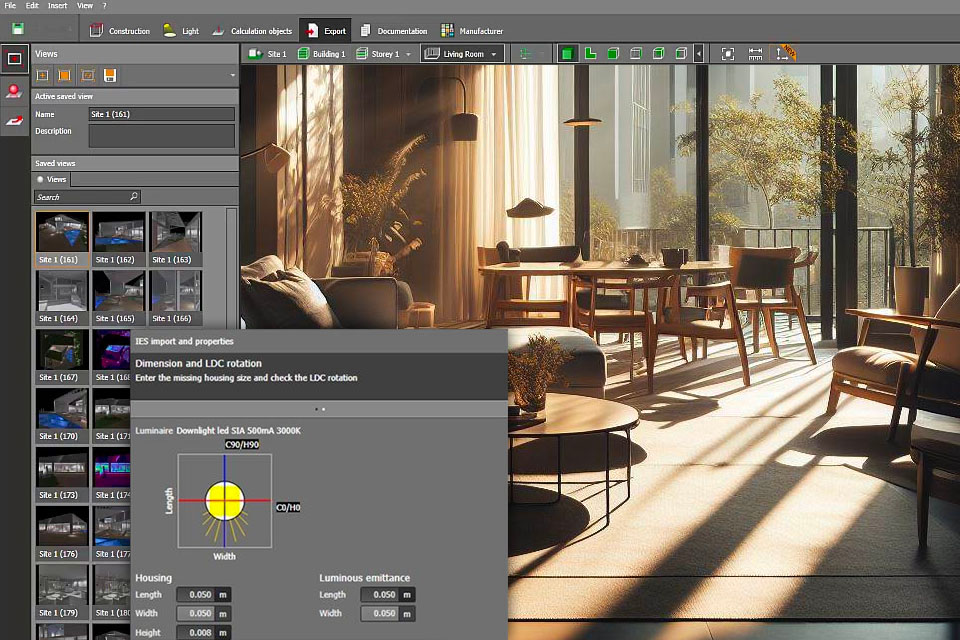
Without that file, a specifier cannot:
- Calculate illuminance levels (lux or foot-candles) on a working plane
- Verify uniformity ratios across the space
- Check glare ratings (UGR) for office or task areas
- Show the client what the space will look like before installation
- Get the lighting design approved by the project architect or engineer
This is why a brand-new downlight with the prettiest spec sheet in the world is functionally useless for any serious commercial project without a valid IES file. The spec sheet tells the designer what’s promised. The IES file tells them what’s real.
I had a buyer tell me last year, “We’ve been selling this downlight for five years, and no one has ever complained about the photometric data.” I asked him to send me the file. When he did, I opened it in DIALux and the fixture was throwing 4,200 lumens in the data file — but the spec sheet claimed 3,200 lumens. They’d been under-delivering light for years, and no one had noticed because no one was actually running the calculations. That’s the kind of mistake that gets caught the day a real design firm gets involved. And when it does, your credibility takes the hit.
The Four Types of Photometric Files (And Which Ones Actually Matter)
Not all photometric files are equal, and this is where most suppliers start cutting corners without realizing they’re creating problems downstream.
Type 1: C0/C180 and C90/C270 Plane Symmetry Files
For most symmetric fixtures — round downlights, panel lights, most track lights — a properly measured file with both vertical planes captured is the industry standard. The file should include:
- Total luminous flux (lumens)
- Wattage at which the measurement was taken
- Beam angle (typically 50% peak intensity)
- Field angle (10% peak intensity)
- Cutoff angle where applicable
- Imax (peak candela value)
- Color data if measured in absolute photometry (preferred)
If your supplier sends you a file with only one plane or only horizontal symmetry, it’s probably a half-baked measurement. The fixture may be slightly asymmetric in real life, and the design calculations will be off.
Type 2: Absolute vs. Relative Photometry
This is a technical distinction that has massive practical consequences. Older photometric files use “relative photometry” — the candela values are scaled to a theoretical 1,000-lumen lamp. The fixture’s actual lumen output must then be entered separately in the design software. This is fine if the person using the file knows what they’re doing, but it introduces an error-prone manual step.
Modern commercial projects increasingly require absolute photometry — the IES file contains the actual measured lumens for the specific LED module, driver combination, and operating current in that fixture. This is the gold standard. If your supplier doesn’t offer absolute photometric files, ask why. Usually the answer is “our lab doesn’t have absolute photometry capability,” which means they have an older goniophotometer and probably haven’t updated in years.
Type 3: Files for Asymmetric or Directional Fixtures
Wall packs, adjustable track lights, asymmetric linear fixtures — these need different measurement protocols. The IES file should be measured with the fixture in its actual installed orientation, not just rotated 90 degrees from a base measurement. I’ve seen dozens of wall pack IES files that are essentially useless because they were measured as if the fixture were pointing straight down. The asymmetry was lost.
Type 4: Multi-Chip or Tunable White Files
For fixtures with multiple LED packages or color tuning, the photometric file should ideally include:
- A file for each color temperature setting
- OR a single file with relative spectral data
- Color Rendering Index (CRI) measured at the specific operating mode
- R9 (saturated red) values, which matter for retail and museum applications
If your supplier sends you a single IES file for a tunable white fixture and claims it “covers all color temperatures,” that’s not technically true. Different CCTs produce slightly different candela distributions due to different phosphor mixes in the LEDs. For a $500,000 museum project, that nuance matters. For a basic office, it probably doesn’t.
What Actually Goes Wrong (Real Cases from My Files)
Let me walk you through three specific situations from the last 18 months. These aren’t theoretical — they cost real money and real relationships.
Case 1: The “Compatible” Downlight Disaster
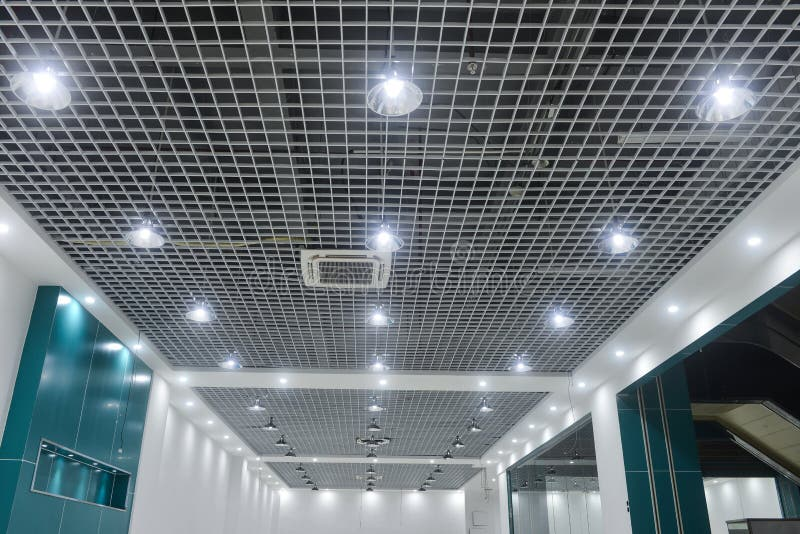
A Belgian wholesaler was sourcing 30W downlights from a factory in Shenzhen for a 1,200-fixture office project. The factory sent an IES file generated from a similar model — same housing, same LED chip on paper, but a different driver. The wholesaler didn’t think to verify. The design firm imported the file into DIALux, ran the lighting calculations, and approved the submittal. Six months later, 200 fixtures had failed in the field. Investigation revealed the actual installed fixtures were producing 2,800 lumens, not the 3,400 lumens the IES file claimed. The driver current was different between the two versions, and no one had re-measured.
Cost to the wholesaler: $87,000 in warranty replacements plus lost follow-on orders.
The lesson: a photometric file is only valid for the specific configuration it was measured on. Same housing, different driver = different file. Same LED chip, different current = different file. If your supplier changes anything — even a wiring harness — the photometric file should be re-measured.
Case 2: The Missing UGR Data
An Italian spec firm was working on a bank headquarters project. They requested IES files from a manufacturer for a track light series. The files came back complete and clean. But the design firm was also calculating Unified Glare Rating (UGR) for the office areas, and UGR requires a specific set of solid angle data in the IES file — table format with candela values at defined angles. The manufacturer’s file had a simplified format that didn’t include the necessary UGR data points. The spec firm rejected the file.
The manufacturer scrambled for two weeks to re-measure. The project was delayed by a month. The wholesaler who was supplying the fixtures lost the replacement contract to a competitor who already had the right data on file.
My advice: ask the specifier upfront which data points their calculations require. If they need UGR, make sure the IES file format includes the full angular resolution data. Don’t just send a generic file and hope it works.
Case 3: The Wrong File Type for DIALux
A French lighting designer called me directly — which doesn’t happen often — asking about a strip light product we’d quoted. He was using DIALux and needed an LDT file (European Eulumdat format) because his firm’s software template was set up that way. The Chinese manufacturer had sent an IES file, which DIALux also accepts, but the designer’s specific calculation module required LDT for proper integration with the French energy code compliance reports.
The manufacturer had no idea how to convert IES to LDT properly. They tried online converters, which gave the designer 60% of the data. Two weeks of email exchanges, and the designer ended up specifying a competitor’s product.
If you sell into European markets, you need both IES and LDT formats. There are free tools to convert between them, but the conversion needs to be done by someone who understands the data, not by an intern with a website.
What Specifiers Actually Want (Ask These Before You Send)
Here’s a checklist I’ve been sharing with our sales team for two years now. Run through this before you send any photometric file to a serious commercial buyer:
-
Which software are they using? DIALux, AGi32, Relux, Litestar, Calculux — each has slightly different preferred file formats and data requirements.
-
Which plane orientation? Some projects require absolute orientation data for asymmetric fixtures. Confirm if a standard vertical measurement works.
-
What level of accuracy do they need? Energy code compliance calculations in Europe often require ±5% accuracy on lumen output. For basic illuminance calculations, ±10% might be acceptable.
-
Do they need color data in the same file? If the designer is calculating both light levels and color rendering, they may want a combined file with spectral information.
-
What’s the project timeline? If they need a file next week, your lab might need 3-4 weeks to measure a new fixture. Sometimes the better answer is to recommend a different in-stock product rather than promise measurement dates you can’t hit.
-
Do they need TM-30 data alongside? Premium projects (museums, high-end retail, healthcare) are increasingly specifying TM-30-18 metrics in addition to CRI. If your lab doesn’t measure TM-30, you can’t supply that data.
How to Build a Photometric Library That Actually Works
After enough of these project delays, I sat down with our engineering team and built a standard workflow. Here’s what we do now, and what I’d recommend any serious commercial lighting manufacturer implement:

1. Measure every commercial product at the production configuration, not a prototype. Once the fixture is in mass production with its final driver, LED bin, and housing, measure the file. Don’t reuse prototype data from the R&D phase.
2. Re-measure annually. LED suppliers change bins, drivers get revised, optical materials age. A photometric file from 2024 is not necessarily accurate for a 2026 production run. We re-measure our top 20 commercial products every 12 months.
3. Store files in a clean, indexed database. No one has time to dig through email threads for a file from 2022. Organize by product family, wattage, color temperature, and beam angle.
4. Provide both IES and LDT formats for every product. Conversion is a 10-minute job once you have the right tools. Don’t make the specifier do it.
5. Include a 1-page photometric summary PDF with each file. This should show: total lumens, beam/field angle, peak intensity, UGR data if available, color metrics, measurement date, and a note about whether the file is absolute or relative photometry. Designers love this because they can quickly verify the file matches the spec sheet.
6. Make files available through a public download portal or API. Specifiers don’t want to email you asking for files. If they can pull what they need in 30 seconds, your response time advantage is huge. We’ve had designers spec our products in projects we’d never have known about because the file was instantly accessible.
The Real Competitive Advantage Nobody Talks About
Here’s the thing that took me years to fully appreciate. Photometric data isn’t a back-office technicality. It’s a sales tool. The supplier who has clean, current, accurate photometric files for every product will close more commercial projects than the supplier with the cheapest price and the prettiest catalog.
A design firm doing a 50,000 m² office tower will spend two weeks reviewing photometric data before finalizing the fixture list. If your files are ready, complete, and easy to access, you’re in. If they’re not, you’re out — and you usually don’t even know the project existed.
I’ve seen competitors lose six-figure contracts not because their product was worse, but because their photometric file was missing or wrong. In the commercial lighting world, IES files are the unsung sales weapon. If your supplier doesn’t treat them that way, find a new one.
If you’re specifying commercial LED fixtures for a project, don’t accept a generic spec sheet and assume the photometric performance is real. Check our complete product catalog for downloadable IES and LDT files for every model, re-measured annually. For OEM/ODM partnerships where you need custom photometric data, contact our engineering team to discuss lab measurement protocols and file formats for your specific market.
