
Smart Building Lighting Integration: Why Your BMS Needs to Talk to Your Fixtures
Most “smart building” lighting projects fail not because of bad fixtures, but because nobody thought through the integration layer.
You buy DALI-compatible drivers. You install occupancy sensors. You deploy a lighting control panel. Then you try to connect it to the building management system (BMS) and discover that everyone’s speaking different dialects.
This is where commercial lighting projects derail. Here’s what actually happens and how to avoid it.
The Integration Problem Nobody Talks About
A typical commercial building has:
– HVAC controls (BACnet/IP or BACnet MS/TP)
– Lighting controls (DALI, 0-10V, or proprietary protocols)
– Fire safety systems (often isolated for safety reasons)
– Security/access control (often proprietary)
– Elevator systems (proprietary)
Each system was designed by different engineers, built by different manufacturers, and integrated by different contractors. They all claim to be “open protocol” but interpret openness differently.
Lighting is usually the first system to get blamed when integration issues surface. Not because lighting is uniquely difficult, but because it’s highly visible and users interact with it constantly.
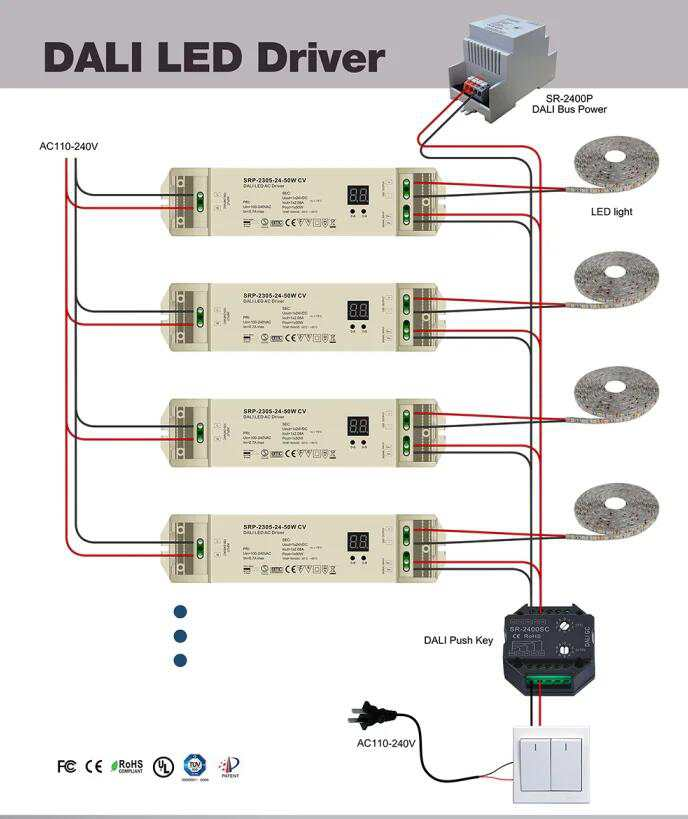
What DALI Actually Buys You (And Where It Falls Short)
DALI (Digital Addressable Lighting Interface) is the closest thing to a universal lighting control standard. It’s bidirectional, addressable, and has real protocol specifications.
DALI advantages:
– Each fixture gets an individual address (up to 64 per bus)
– You can query fixture status (not just send commands)
– Wiring is polarity-insensitive
– Scene programming allows complex presets
– Commissioning is relatively standardized
Where DALI disappoints:
-
64 device limit per bus. Large projects require multiple DALI lines with gateways. That gateway becomes a single point of failure.
-
BACnet-to-DALI gateways are still problematic. The translation layer often loses functionality. You might get on/off and dimming but not status feedback.
-
Sensor integration varies wildly. DALI has a sensor command class, but not all manufacturers implement it consistently.
-
System discovery during commissioning takes time. Each fixture needs to be addressed and named. This is labor-intensive.
For projects under 200 fixtures in a single zone, DALI works well. Above that, plan for significant commissioning effort.
The BMS Integration Reality
Building Management Systems speak primarily BACnet, Modbus, or proprietary protocols.
BACnet/IP is increasingly dominant in North America and gaining ground globally. If your BMS speaks BACnet/IP, your lighting control system should too.
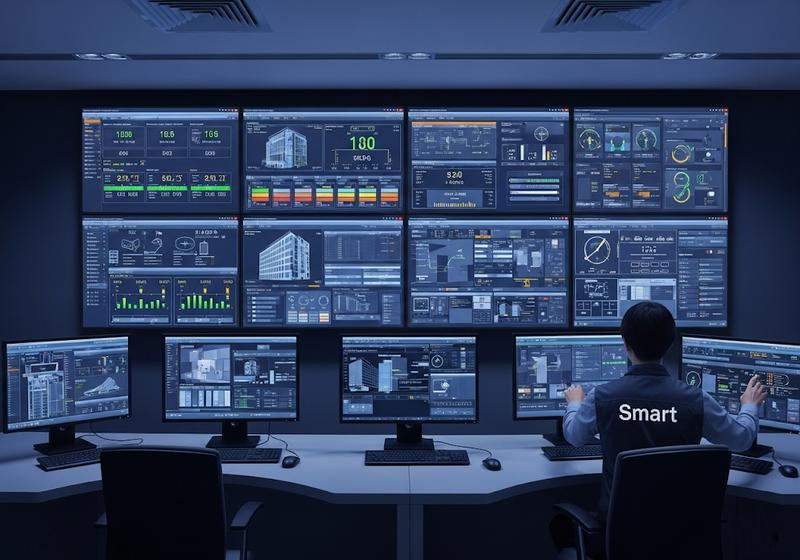
The practical hierarchy:
- Lighting fixtures → DALI drivers (fixture-level control)
- DALI bus → Lighting controller/gateway (aggregates multiple DALI lines)
- Lighting controller → BACnet/IP or Modbus gateway (BMS protocol conversion)
- BMS server → Front-end operator interface (monitoring and control)
Each hop introduces:
– Latency (typically 1-5 seconds for BMS-level commands)
– Potential failure points
– Configuration complexity
The question to ask your lighting manufacturer: “What BACnet objects does your gateway expose?”
If they can’t list:
– Binary Output objects for on/off
– Analog Value objects for dimming level
– Binary Input objects for occupancy status
– Multi-state inputs for scene/zone selection
…then your integration will require custom programming.
Occupancy Integration: The Part Everyone Gets Wrong
Occupancy-based lighting control sounds simple. Motion detected → lights on. No motion for 15 minutes → lights off.
In practice, the integration chain looks like:
1. Occupancy sensor detects motion
2. Sensor sends signal to lighting panel (often via dry contact or DALI)
3. Lighting panel processes occupancy input against time schedules
4. Lighting panel commands fixtures
5. BMS optionally logs the event
Common failure modes:
- Sensor coverage gaps: Not enough sensors, or sensor placement ignores furniture, partitions, and shelving.
- Manual override defeat: Users disable occupancy control by holding the dimmer button for 10 seconds.
- BMS polling latency: BMS is querying occupancy status every 30 seconds. If someone walks in and out within that window, BMS never knows.
- Manual/automatic conflicts: BMS puts zone in “manual” mode for maintenance, then forgets to restore “automatic” mode after.
The fix: Commission the occupancy logic separately from the BMS integration. Test it in standalone mode before connecting to the network. Verify coverage with actual movement patterns.
What Actually Works for Commercial Projects
After watching several hundred commercial lighting integrations, here’s what consistently succeeds:
Protocol selection:
| Application | Recommended Protocol | Why |
|---|---|---|
| Small office (<50 fixtures) | 0-10V with occupancy | Simple, reliable, cheap |
| Medium commercial (50-500 fixtures) | DALI with BACnet gateway | Addressable, BMS-compatible |
| Large commercial (>500 fixtures) | Proprietary system + BACnet | Enterprise-grade, proper support |
| Multi-tenant buildings | DALI with tenant-level control | Separates control by tenant |
Integration approach:
- Specify BACnet/IP compatibility as a requirement, not a “nice to have.”
- Demand integration testing documentation from the manufacturer. Not just protocol specs—actual integration test results from previous projects.
- Commission the lighting system standalone before BMS connection. 80% of “BMS integration” problems are actually lighting commissioning problems.
- Map every BACnet object explicitly in the submittals. Vague specifications produce vague integrations.
- Budget for commissioning time. Plan for 2-3 weeks of integration effort after physical installation.
The ROI Nobody Calculates
Here’s a number that rarely appears in lighting control proposals:
Integration maintenance cost over 10 years.
A proprietary lighting system with good integration might cost $30,000 more upfront. But when you need to modify zones, expand coverage, or troubleshoot problems, proprietary systems require the original integrator at $150-250/hour.
BACnet-based systems can be modified by any competent BMS technician. That’s a $20,000-50,000 savings over a 10-year building life.
When evaluating lighting control proposals, ask:
– “Who can maintain this system in year 7?”
– “What happens when the original integrator is unavailable?”
– “How do we add three new zones to zone 4?”
The answers reveal whether you’re buying a system or a dependency.
Sourcing Considerations for International Projects
If you’re specifying for projects in multiple countries:
Europe: DALI is standard. KNX is common for residential and smaller commercial. BACnet exists but is less dominant than in North America.
Middle East: Often follows European standards but with significant British Standard influence. DALI acceptance is high in new construction.
Southeast Asia: Mixed. High-end projects (hotels, offices) typically specify DALI. Budget projects often skip BMS integration entirely.
China: GB standards are different from IEC. DALI exists but proprietary protocols dominate. If you’re supplying to Chinese projects, confirm BACnet requirements specifically.
Final Thoughts
Lighting integration isn’t a technical problem. It’s a coordination problem.
The failure modes I see most often:
– Different contractors assuming someone else handled the integration
– Specifications that describe desired outcomes but not implementation
– Testing that happens after the building is occupied (too late)
– Maintenance staff trained on “how to use” but not “how it works”
The fix is simple: integration ownership needs to be assigned before construction begins. One party, one phone number, responsible for making the whole system work together.
If you can’t name that party in week one of the project, you’re already behind schedule.
